blogs
Insights, Strategies & Systems to Grow Your Business

AI Chatbots for Small Business: Do They Actually Work?
The honest answer is yes for a few specific jobs and no for others. AI chatbots for small business work well when they answer common questions and capture leads after hours. They struggle with judgment calls. For St. Louis businesses, knowing that difference separates a useful tool from a frustrating one.
Stop Letting After-Hours Visitors Leave Without an Answer

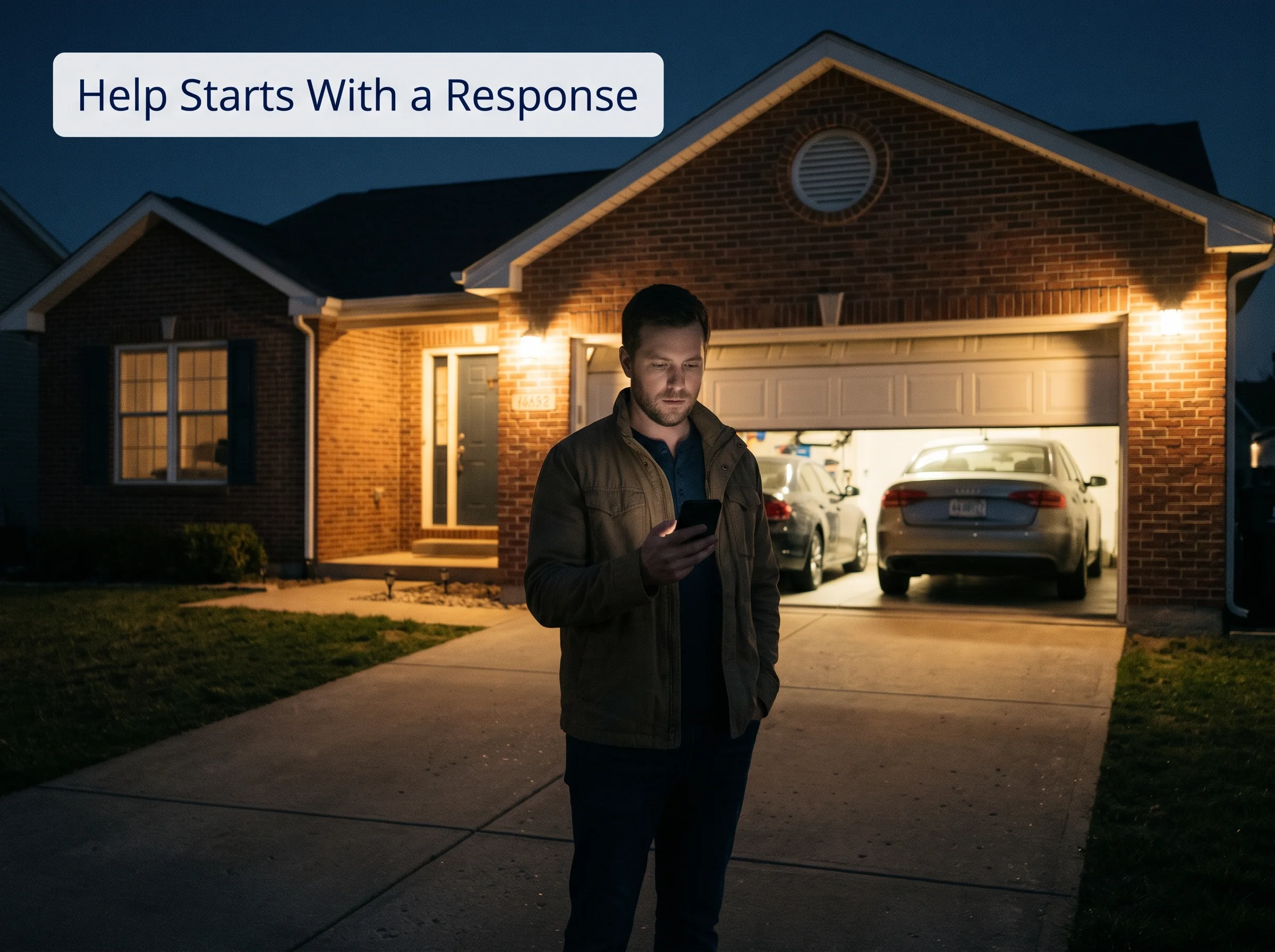
A homeowner lands on your site at nine at night with a question. There's no one to ask, just a form that promises a reply tomorrow. So they keep searching, and the first business that answers right away gets the job. Your website did its work, and the lead still slipped away.
We understand the hesitation. Maybe you've been trapped in a clumsy chatbot loop yourself, and the last thing you want is to put your customers through that. That's a fair worry. The difference between a chatbot that helps and one that annoys comes down almost entirely to how it's set up.
Use a Chatbot for the Jobs It Does Best
Know What an AI Chatbot Is, and Isn't
An AI chatbot is a conversational assistant that lives on your website or answers by text. A visitor types a question, and it replies in plain language, collects contact details, and can request a booking. It's a far cry from the old button menus that never had the answer you wanted.

It isn't a mind reader, though. A chatbot knows only what you teach it and the limits you set. It can sound confident even when it's wrong, which is why setup matters more than the software. Think of it as a new hire who needs training before the first shift.
Let It Handle the Questions You Answer Every Day
Chatbots shine at the questions your team answers over and over. Hours, service areas, what happens during a visit, and how to request an estimate all have clear, stable answers. Handing those to a chatbot frees your people for work that needs judgment, and it answers instantly at any hour.
After-hours questions: a helpful reply at nine at night instead of a form that waits until morning
Common questions: hours, service areas, and what to expect
Lead capture: name, phone number, and a short description of the need
Booking requests: a visit request sent straight to your calendar or your team
Routing: urgent or complex messages flagged for the right person
Avoid the Places Chatbots Fall Short

Chatbots struggle when a situation needs empathy or judgment. An upset customer, a safety concern, a pricing exception, or an unusual problem should reach a person fast. A bot that cheerfully answers an angry message can make things worse and quietly damage a relationship you spent years building.
The other common failure is the loop. Some chatbots keep visitors going in circles with no way to reach a human. Outdated information is a quieter version of the same problem. If your hours or services change and the bot doesn't, it keeps giving confident answers that are no longer true.
Clear Up Five Common Chatbot Myths
Much of the doubt around chatbots comes from a few myths. Some grew out of bad experiences with clumsy bots, and others came from hype. Here's what's actually true for a small business, with each myth paired with a plain reality check you can weigh for yourself before deciding.
Myth: it will replace your team.
Reality: it handles routine questions, and people still handle decisions, relationships, and exceptionsMyth: it's only for big companies.
Reality: small businesses without a front desk often benefit most from answering after hoursMyth: it's too technical to set up.
Reality: the hard part is deciding what it should say, not installing itMyth: customers hate chatbots.
Reality: customers dislike bots that trap them, and they tend to accept ones that help quickly and offer a personMyth: set it up once and forget it.
Reality: it needs updates whenever your hours, services, or policies change
See It Working for a Local Service Business
Picture a hypothetical St. Louis area garage door company. At ten at night, a homeowner types that their door won't close. The chatbot confirms the service area, asks a few questions about the problem, and explains that a technician will call in the morning, or sooner if it's an emergency.
When the homeowner mentions a stuck door with a car trapped inside, the chatbot flags it as urgent and alerts the on-call technician. For routine cases, it collects a phone number and offers appointment times. By morning, the team sees every conversation with the details captured, so nothing gets asked twice.
Decide Whether Your Business Needs One
Ask yourself three questions. Do visitors ask the same things over and over? Do inquiries arrive when nobody's available to answer? Is your website a real source of leads? If two or more answers are yes, a chatbot is worth testing. If most customers simply call, faster phone follow-up may matter more.
Set It Up So It Actually Helps
A chatbot works best as one part of a bigger system. It captures the lead, and the rest of your AI marketing automation, like follow-up messages, reminders, and reports, takes it from there. Without that connection, the chatbot just collects names that nobody ever acts on.
Pick one narrow job: start with after-hours questions and lead capture rather than everything at once
Feed it approved information: hours, service areas, and answers you've checked, so it doesn't invent details
Set limits and a handoff: decide what it must never answer, and make reaching a person easy
Review real conversations weekly: read what customers asked, fix wrong answers, and update information
Be Honest With Visitors and Protect Their Data
Tell visitors they're chatting with an AI assistant, and make it easy to reach a real person. Collect only the details you need, store conversations securely, and get permission before sending follow-up messages. Disclosure and consent rules vary by location, so check with a qualified professional about what applies to you.
Let GrokOn Build, Train, and Connect Your Chatbot
GrokOn builds chatbots that sound like your business and know when to step aside. Our AI and automation team trains the assistant on approved answers only, sets clear limits and handoff rules, and tests every response with you before customers ever see it, so nothing goes live that you haven't checked.
Then we connect it to everything behind it. Each conversation lands in our Smart CRM with the details captured, follow-up runs on its own, and urgent messages reach the right person immediately. The chatbot handles the first reply, and your team handles the moments that need a human.
Launch Your Chatbot in Three Steps
Book a strategy call. We'll review your website questions and after-hours inquiries to find the best first job for a chatbot.
We build and test it with you. Approved answers, clear limits, and an easy handoff, checked by you before launch.
Watch the after-hours gap close. We review real conversations, update answers as your business changes, and connect every lead to follow-up.
Picture the next time a homeowner visits your site at ten at night. They get a helpful answer in seconds, an urgent problem reaches your on-call tech right away, and routine requests are waiting with every detail by morning. Nobody gets trapped in a loop, and no lead goes unanswered.
Curious whether a chatbot fits your St. Louis area business? Book a strategy call and our team will review your website questions and after-hours inquiries, then recommend one narrow place to start with AI chatbots for small business. We'll help you test it safely before customers ever see it.
Get Straight Answers to Common Questions
Will an AI chatbot give wrong answers?
It can, especially if it's allowed to improvise. The best protection is limiting it to information you've approved, telling it what it must never answer, and reviewing real conversations often. When it doesn't know something, it should say so plainly and offer to connect the visitor with a real person.
Do I need technical skills to set one up?
Usually not. Many tools use templates and simple settings, and a provider can handle the installation. What takes effort is the thinking: deciding which questions it should answer, writing accurate responses, and choosing when a person takes over. If you can explain your business clearly to a new employee, you can do that part.
Can a chatbot replace my receptionist?
It can cover routine questions and the after-hours gap, but it shouldn't replace a person who builds relationships and handles exceptions. For most small businesses, the best setup is a chatbot that handles the first reply, with a receptionist or owner stepping in when judgment, empathy, or safety comes up.

Find Out What This Looks Like for Your Industry
We help businesses simplify marketing, automation, and AI so they can grow with clarity — not chaos.


© 2026 GrokOn Marketing. All Rights Reserved.