
blogs
Insights, Strategies & Systems to Grow Your Business

CRM Automation Explained: What It Actually Does for Your Sales Process
A CRM is a home for every lead and customer you talk to. CRM automation makes that home act on its own, moving leads along, creating reminders, and flagging anything that stalls. For St. Louis businesses that quote jobs, it's the difference between hoping someone follows up and knowing they will.
Stop Losing Quotes That Quietly Fade Away
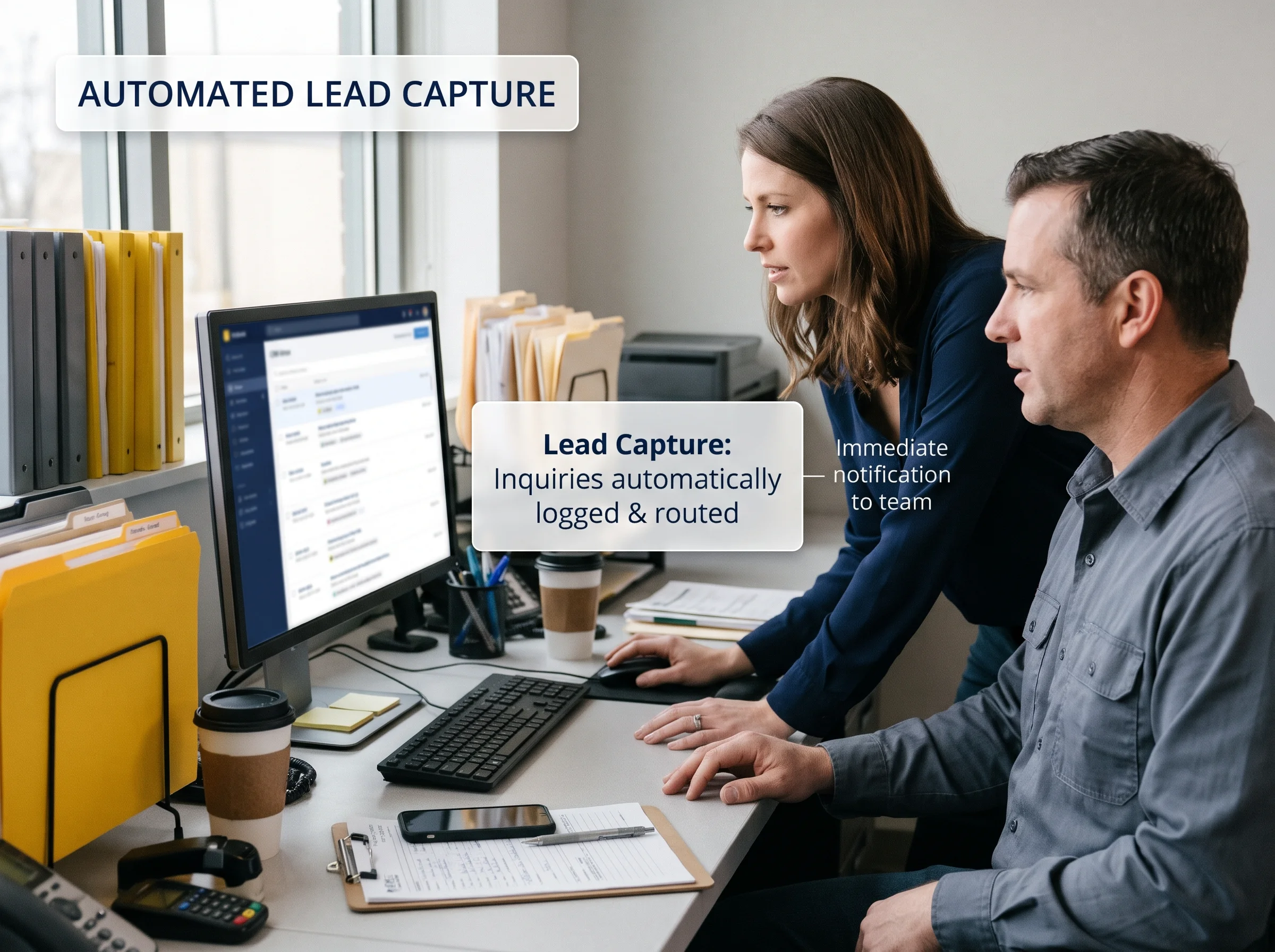
Scattered leads cost you work nobody notices. A quote sent on Monday and never followed up doesn't show up as a failure anywhere. It just fades. Multiply that by a busy season, and you're handing real jobs to competitors who simply remembered to call back first.
We know how it happens. Leads live in an inbox, a spreadsheet, and a notebook in the truck. Follow-up depends on one person's memory, and that person is also running jobs. Nobody's doing anything wrong. There's just no system catching the moments that slip through the cracks.
Turn Your Customer Records Into a System That Acts
A CRM, short for customer relationship management, keeps names, contact details, conversations, quotes, and notes in one organized place. Anyone on your team can open a record and see the full history. That alone beats scattered inboxes, but it still depends on people remembering to act on what they see.
Automation adds the action. When something happens in the CRM, like a new lead arriving or a quote going unanswered, the system responds with a rule you set: assign the lead, create a task, send a reminder, or move the deal to the next stage. The information stops sitting still.
Know What CRM Automation Actually Does
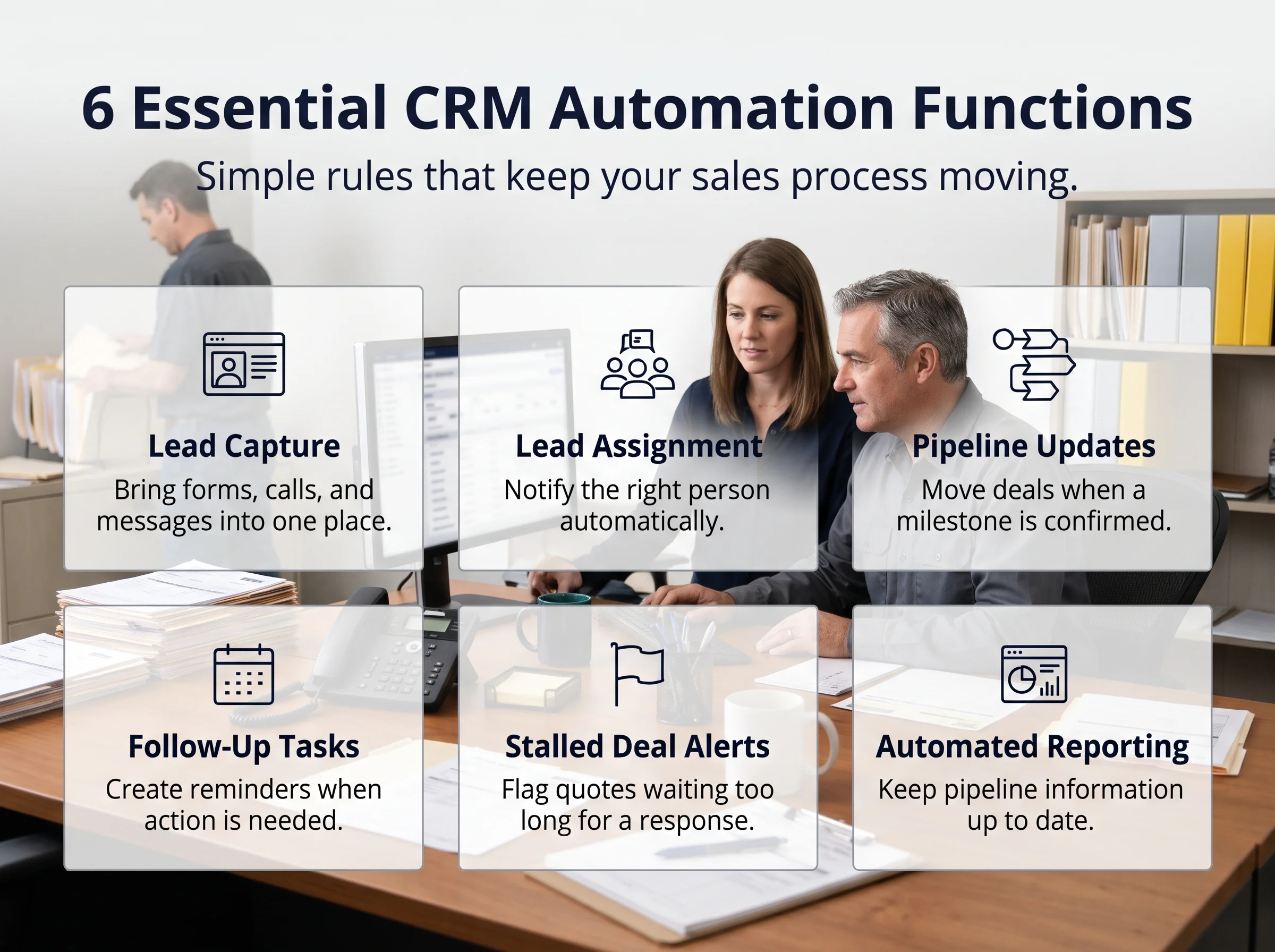
Most of the value comes from a handful of simple jobs. None of them are flashy, but each one replaces a task someone on your team currently has to remember, and together they make sure no lead sits untouched while everyone is busy with the work in front of them.
Captures leads from every source: forms, calls, and messages land in one place automatically
Assigns each lead: the right person is notified right away
Moves deals between stages: a lead advances when something happens, such as a booked visit
Creates follow-up tasks: reminders appear when a quote or call needs attention
Flags stalled deals: anything waiting too long on a reply gets surfaced
Updates reports: pipeline views stay current without manual entry
Map Your Pipeline Stage by Stage
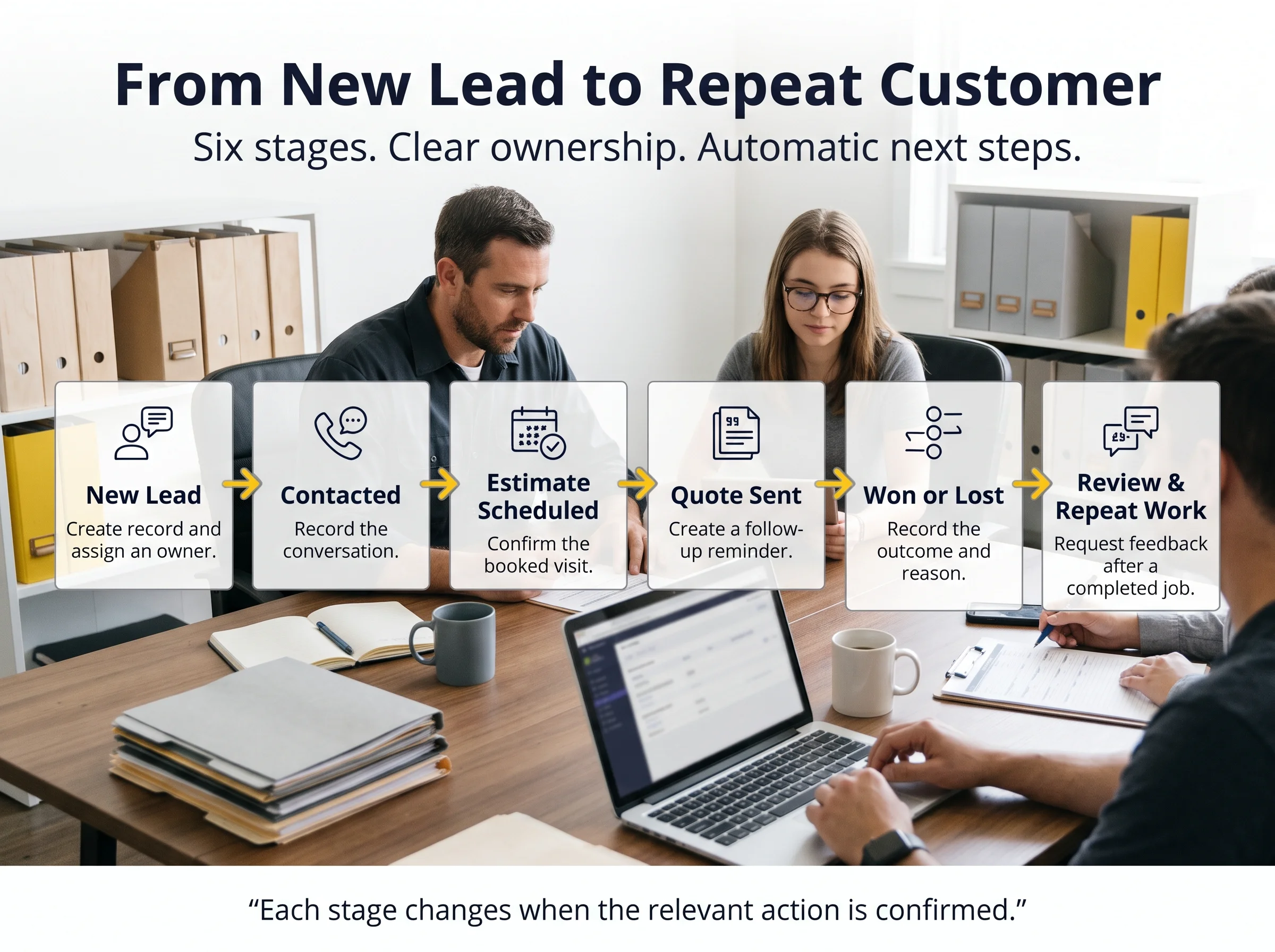
A pipeline is the path a lead follows from first contact to a finished job. Most local businesses can describe theirs in five or six stages. Automation works best when each stage has a clear meaning, because the system moves leads based on what actually happened, not on guesses.
New lead: the CRM creates the record, assigns an owner, and starts the clock on a first reply
Contacted: a reply or call moves the lead forward, and the system logs it
Estimate scheduled: a booked visit updates the stage and sends a confirmation
Quote sent: a reminder triggers if there's no response after a set number of days
Won or lost: the result is recorded with a reason, which makes later reports useful
Review and repeat work: a finished job triggers a review request and a future check-in
See It Working for a Local Service Business
Picture a hypothetical St. Louis area painting company. A homeowner fills out a quote request on the website. The CRM creates a record, assigns it to the estimator, and adds a task to call within the hour. The owner sees the new lead on a dashboard instead of digging through an inbox.

The estimator visits Thursday, and the stage updates. A quote goes out Friday. When four days pass without an answer, the CRM creates a task to check in, so the quote doesn't quietly expire. The homeowner replies, the job gets booked, and the record moves to won.
Connect Your CRM to the Rest of Your Sales System
A CRM is the hub, but it isn't the whole wheel. Sales automation systems connect the CRM to everything around it: web forms, calendars, text and email follow-up, review requests, and reporting. When those parts share one record, information moves between them without anyone retyping it.
Know What CRM Automation Can't Fix
Automation amplifies whatever process you already have. If your offer is unclear or nobody owns follow-up, a CRM just repeats those problems faster. It also can't replace the human parts of selling, like walking a home or explaining an estimate. Settle the basics and clean up your contact data first.
Check Whether You're Ready for CRM Automation
You don't need a big team or a complicated sales process to benefit. If two or more of these sound familiar, leads are already slipping through gaps that a few simple rules could close, and every week without them is costing you jobs you never see.
Leads live in several places, such as an inbox, a spreadsheet, and a notebook
Quotes get sent and then forgotten
Nobody can say how many leads are open right now
Follow-up depends on one person's memory
You can't tell which lead sources produce booked jobs
Start Small If You're Setting It Up Yourself
Begin with a one-page map of your stages, using plain names your whole team understands. Then clean up your contact list by removing duplicates and filling in missing details. Both steps take little time and prevent most early headaches, because the automation will depend on each of them.

Next, automate one handoff, like assigning new leads and creating a call task. Run it for a few weeks and watch how it behaves. Once it's reliable, add a stalled-quote reminder, then a review request. One rule at a time keeps the system understandable and makes problems easy to trace.
Protect Customer Data From Day One
A CRM holds personal information, so treat it with care. Collect only what you need, limit who can see sensitive notes, and keep payment details out of it entirely. Get permission before sending marketing messages and honor opt-outs quickly. Rules vary by location, so check with a qualified professional about what applies.
Let GrokOn Build Your CRM and the Rules Behind It
GrokOn sets up CRM automation for local businesses that quote jobs. Our Smart CRM keeps every lead, quote, and conversation in one record, and our sales automation systems handle the handoffs: assigning leads, creating tasks, flagging stalled quotes, and keeping your pipeline current without anyone typing a thing.
We also connect it to the front of your funnel. Our AI and automation systems answer calls, texts, and forms the moment they arrive and drop each lead straight into the right stage. Your team spends its time on estimates and finished work, not on updating records.
Get Your Pipeline Working in Three Steps
Book a strategy call. We'll map your current stages and find the handoffs that slip.
We build your CRM and first rules. Stages, lead capture, and the one automation that matters most, set up and tested with you.
Add rules as it earns your trust. Stalled-quote reminders, review requests, and reporting come next, one at a time.
Picture opening your dashboard on a Monday morning. Every new lead already has an owner and a task. Quotes waiting on an answer are flagged before they go cold, finished jobs have review requests on the way, and you can see exactly how many deals are open right now.
Want to see where CRM automation could tighten up your sales process? Book a strategy call and our team will map your current stages, find the handoffs that slip, and recommend one practical place to start with sales automation for your St. Louis area business.
Get Straight Answers to Common Questions
Do I need a CRM if I only have a few customers?
Not always. If you handle a handful of leads and remember every one, a simple list can work. A CRM starts paying off when leads come from several places, or when you've ever lost track of a quote. Starting early also builds clean records you'll be glad to have as you grow.
What's the difference between a CRM and a spreadsheet?
A spreadsheet stores information, but it only changes when someone edits it. A CRM tracks every interaction, shows each lead's stage, and acts on rules, like creating a task when a quote sits unanswered. It also lets several people work in the same records at once without overwriting each other.
How long does setup take?
A basic setup, with your stages, a lead form connection, and a couple of rules, can often be running in days. Cleaning old contacts and testing the rules usually takes longer than the setup itself. Plan for a few weeks of watching it work before you trust it fully and add more.

Find Out What This Looks Like for Your Industry
We help businesses simplify marketing, automation, and AI so they can grow with clarity — not chaos.


© 2026 GrokOn Marketing. All Rights Reserved.